
Billing and Documents
More options
 Discuss with Marie
 Documents
Contracts and other school documents: signature status, searching, and opening PDFs.
On the Documents page (in the left menu), you will find contracts and other documents related to your school, such as the service agreement.
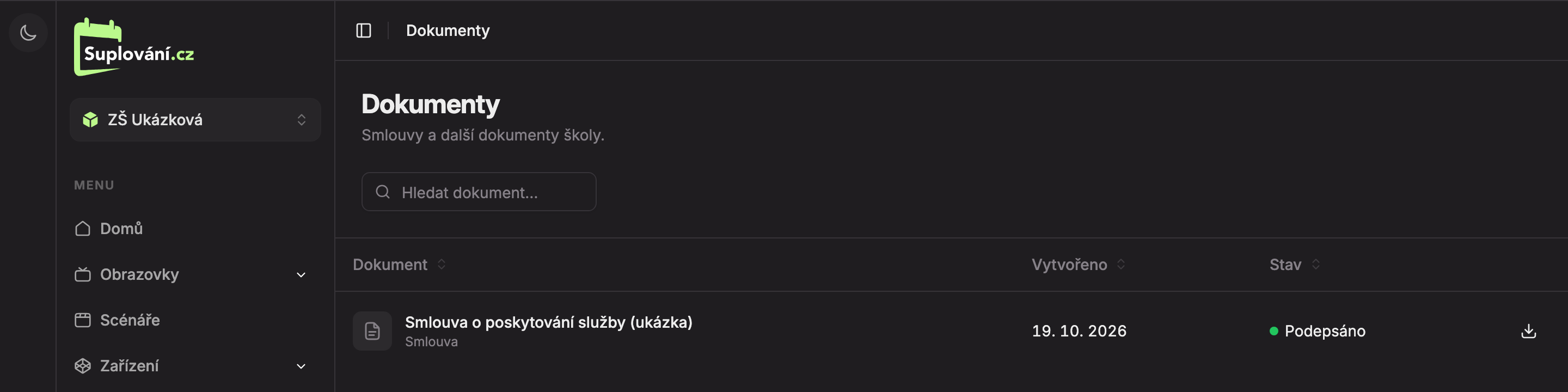
- Search document… – search by document name, type, or status.
- Document – the document’s name with its type below (for example, “Contract”).
- Status – Signed (green) or Unsigned (gray).
- Open PDF – opens the document as a PDF in a new tab. Clicking anywhere on the row works the same way.
The Created column shows when the document was created. Click the column header to sort the documents.
For signed documents, the signed version opens; for unsigned, the original document opens. If a document has no file, a dash “—” appears instead of an icon (Document has no file). If the school has no documents yet, the page shows “There are no documents here yet.”
Updated