
Getting Started
More options
 Discuss with Marie
 Setting a password from an invitation
First login: set your password from the link in the invitation and you will be taken directly to Studio.
Your Studio account is created by Suplování.cz. An invitation with a link will be sent to your email, through which you set your own password. The same page also opens from the email after forgotten password recovery.
Open the link from the email
Click the link in the invitation. The Set your password page will open.
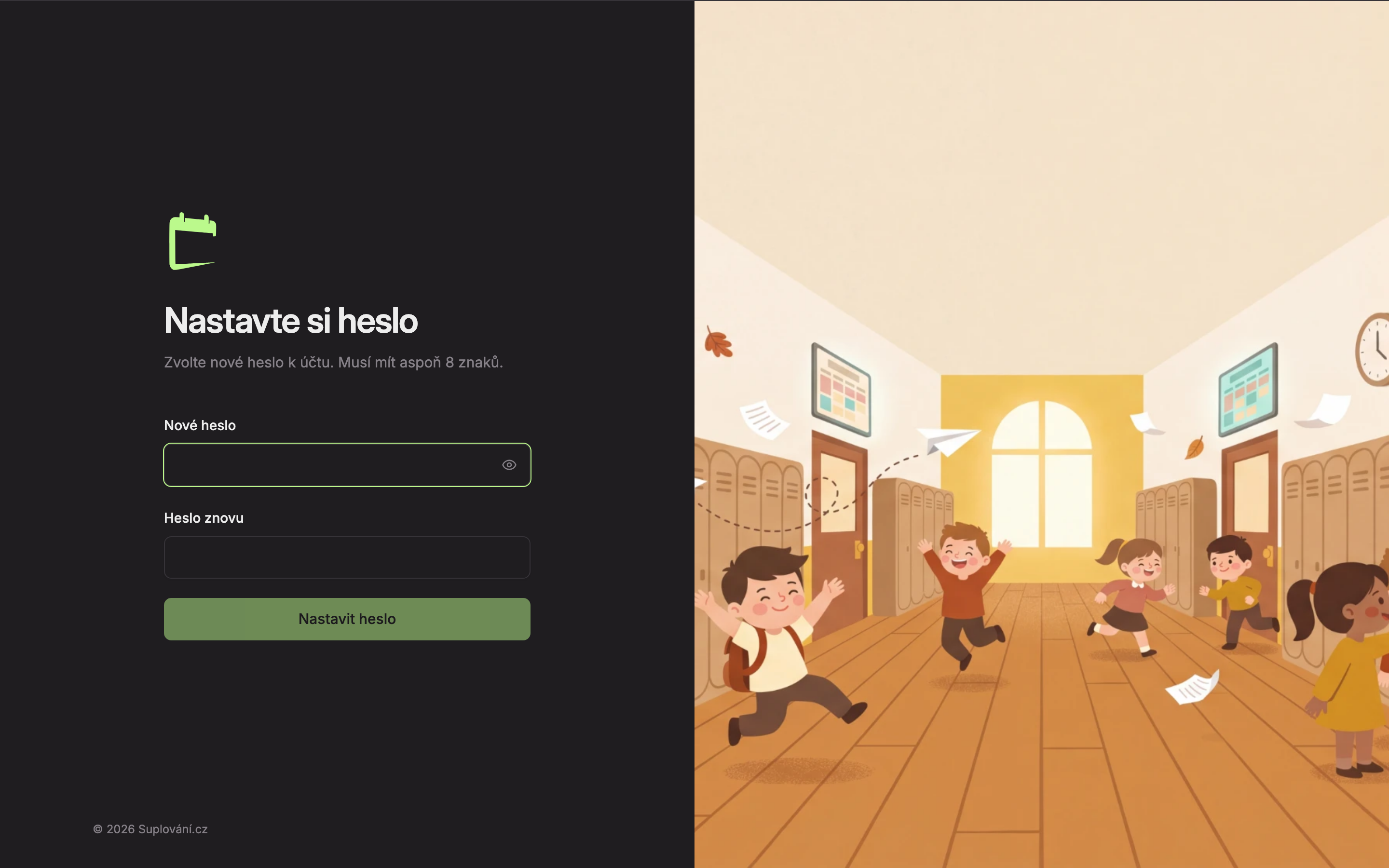
Choose a password
In the New password field (1), enter your password. It must be at least 8 characters long. While it is shorter, you will see below the field how many characters are still missing (“N characters left”). You can show or hide the password using the eye icon in the field.
Repeat the password
Enter the same password in the Password again field (2). If the passwords do not match, “Passwords do not match.” will appear.
Save the password
Click Set password (3). The button is active only when the password is long enough and both fields match. After saving, you will see Password is set. Click Continue and you are in Studio, already logged in.
Next time, log in with your email and this password.
If the link does not work
The link from the email can only be used once. If it is incomplete or has already been used, the Link does not work page will appear.
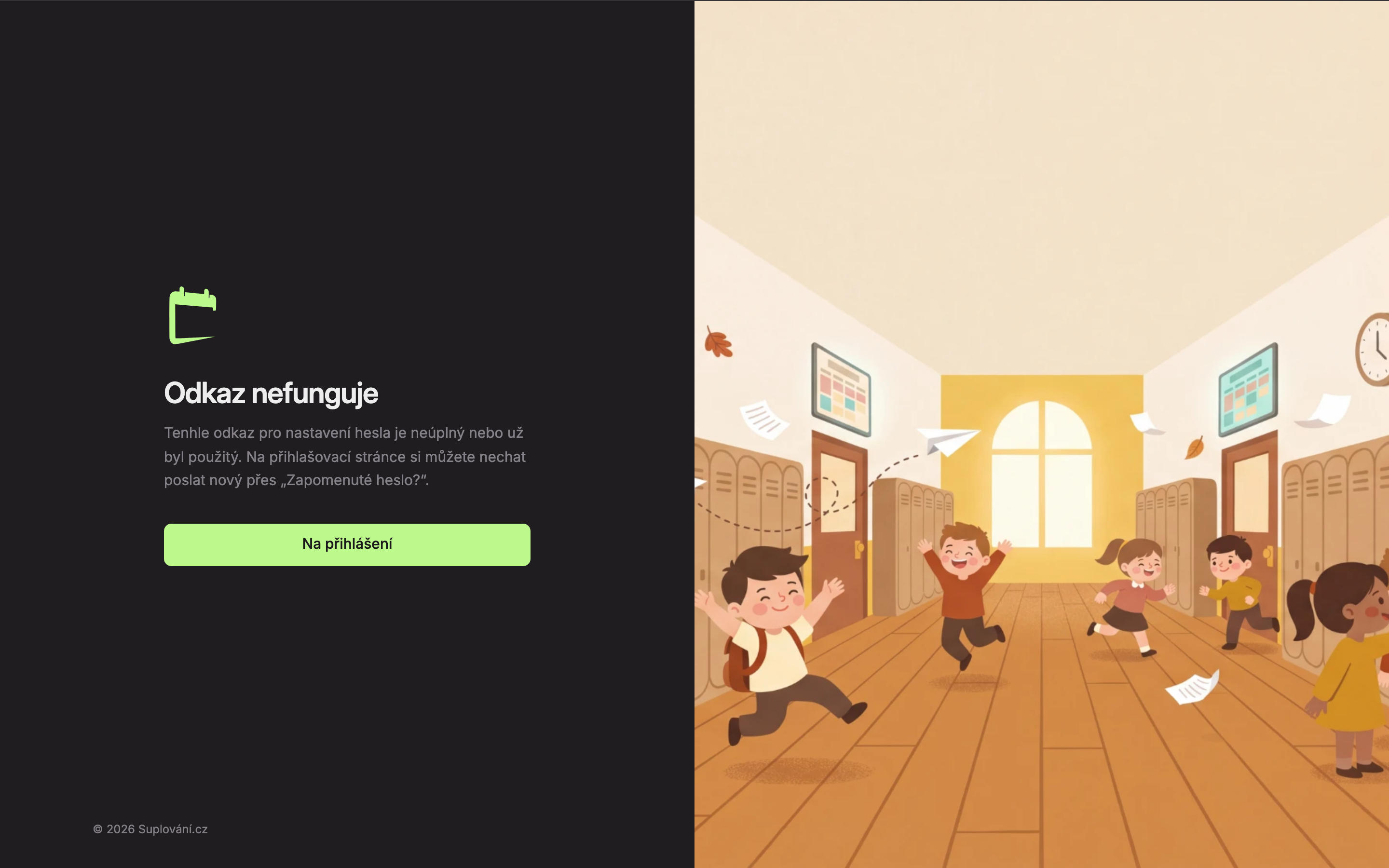
Click Go to login and request a new link via Forgotten password?.
What do the error messages mean when saving the password?
- The link is invalid or has expired. Request a new one. – the link is no longer valid; request a new one via Forgotten password?.
- The new password must be different from the current one. – choose a different password than the one you had.
- The password is too weak — choose a longer one with letters and numbers. – lengthen the password and add letters and numbers.
- The password could not be saved, please try again. – usually a connection failure; try again in a moment.
Updated