
Widgets
More options
 Discuss with Marie
 Widget Supervisors
Teacher supervision schedule: title, columns, layout in one or two columns, pagination, and colors.
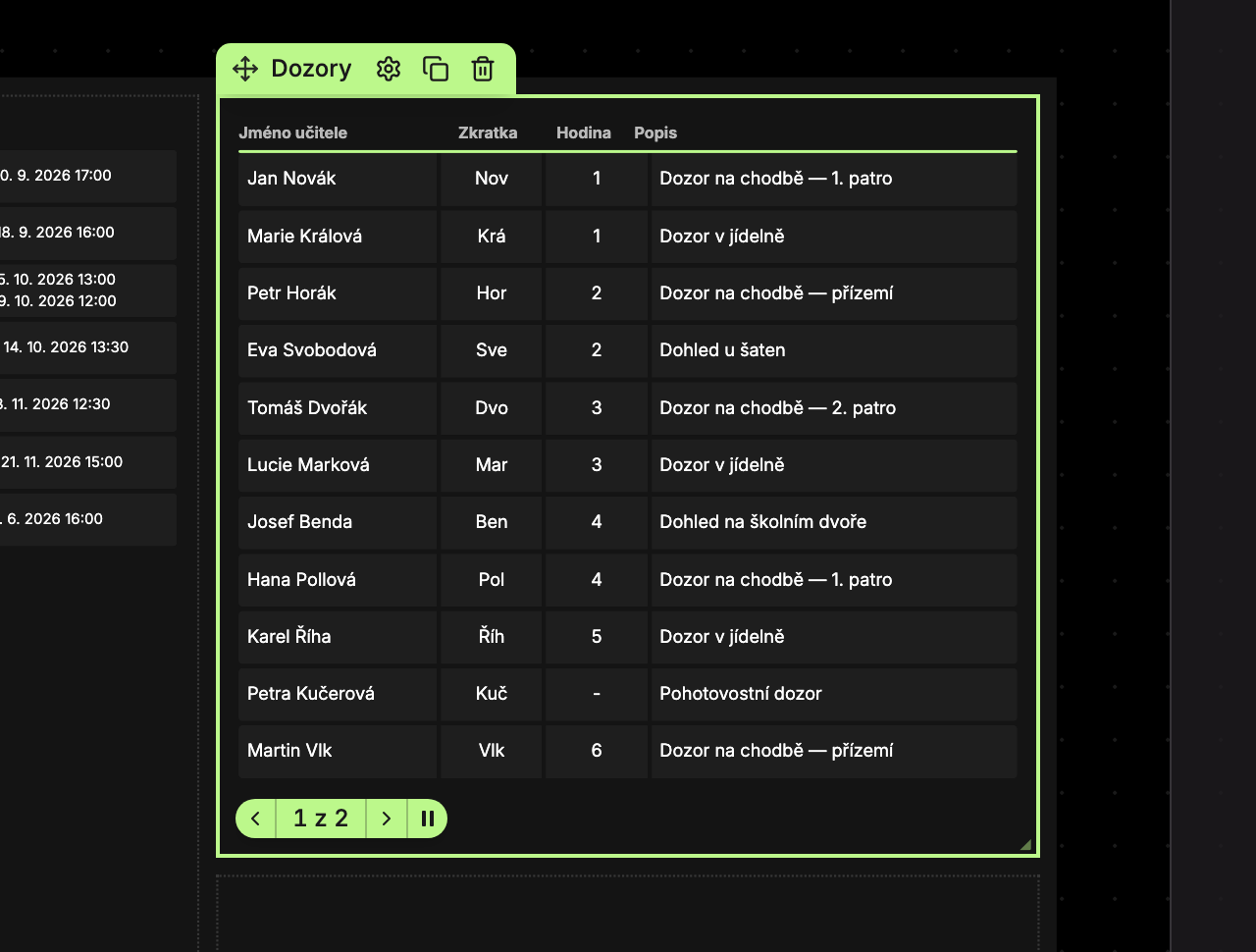
The Supervisors widget shows who has supervision duties when and where. The data comes automatically from the school system. When the rows don’t fit, the widget splits them into pages that rotate automatically.
Content Tab
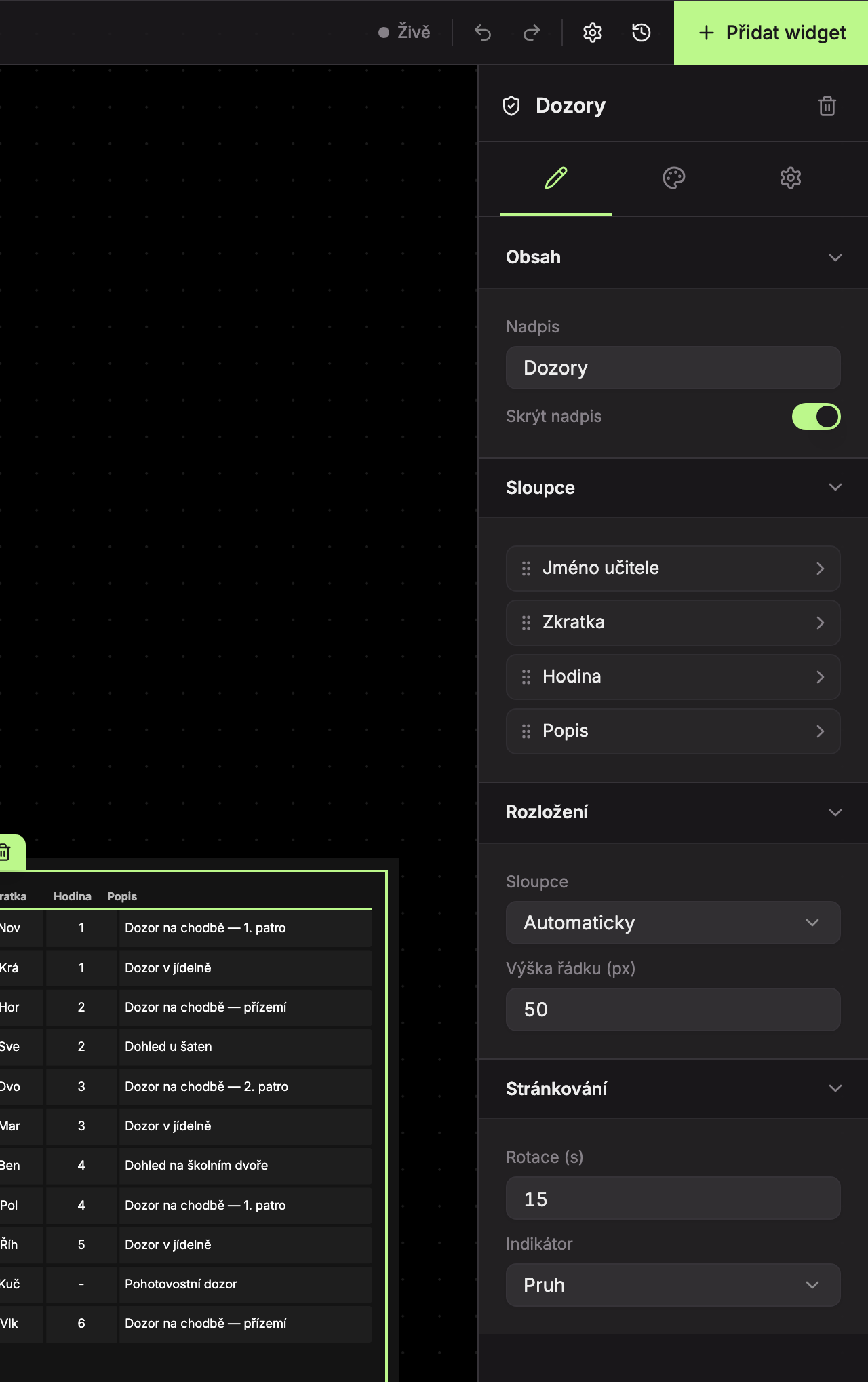
Content (1)
| Field | What it does | Default |
|---|---|---|
| Title | Text of the title above the table. | Supervisors |
| Hide title | The title is not displayed. | on (title is hidden) |
Columns (2)
The table columns are Teacher Name, Abbreviation, Period, and Description. You cannot add or remove columns, only reorder them by dragging the handle. When expanding a column, you can set:
- Show – show or hide the column.
- Alignment – Left, Center, or Right. Default is left for name and description, center for abbreviation and period.
The row with column names is always above the table when there is any data. If supervision has no period, the cell shows “-”.
Layout (3)
| Field | What it does | Default |
|---|---|---|
| Columns | Automatic – from a content width of 1100 px (about 14 grid cells) two columns side by side. Always 1 or Always 2 sets the number fixed. | Automatic |
| Row height (px) | Height of one row, 30–100 px. | 50 |
Pagination (4)
| Field | What it does | Default |
|---|---|---|
| Rotation (s) | How long one page stays, 3–120 seconds. | 15 |
| Indicator | Bar or Clock (see Pagination and transitions). | Bar |
Design Tab
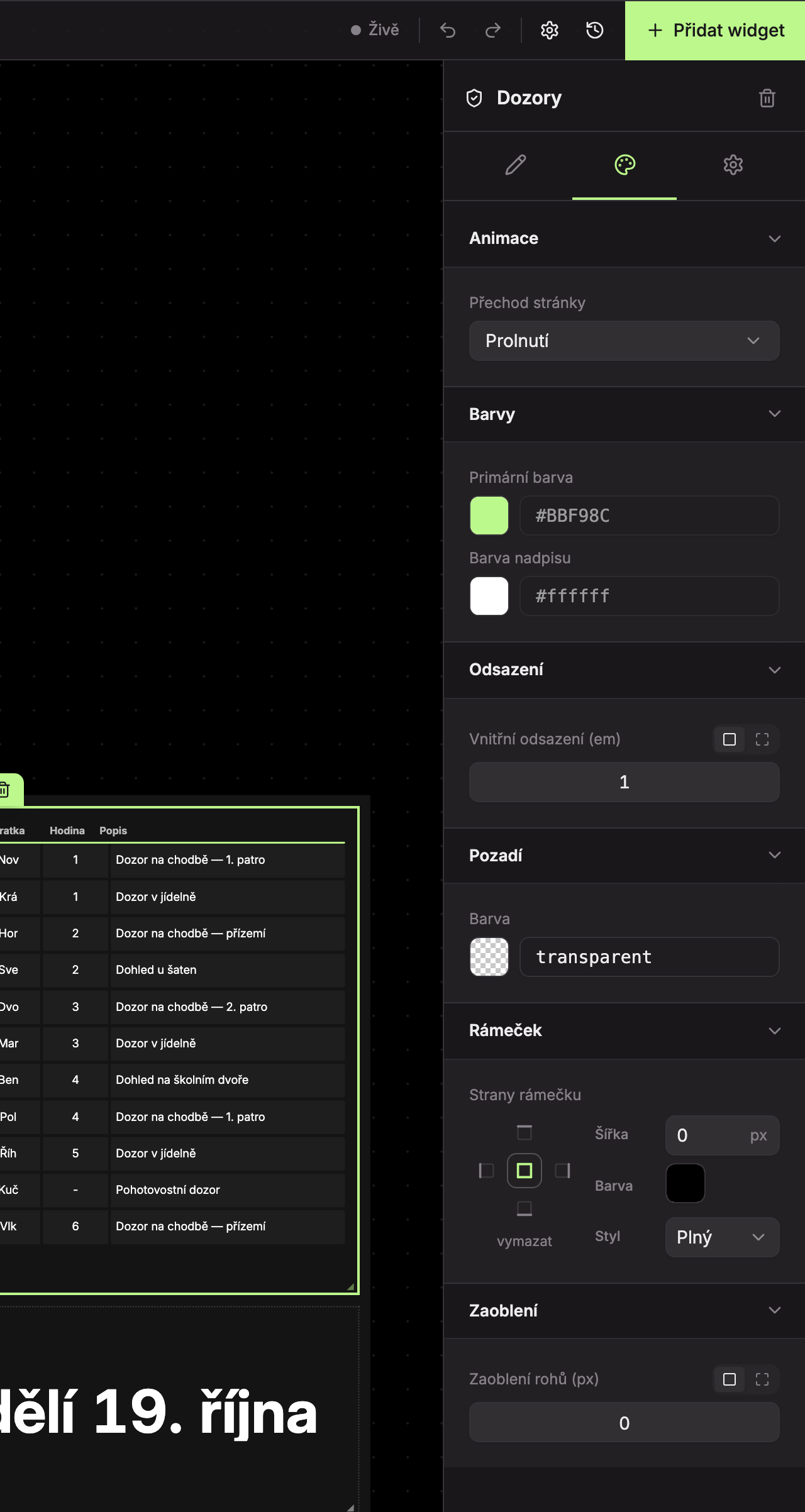
- Animation (1) – Page transition, default Fade.
- Colors (2) – Primary color and Title color.
- Padding (3), Background (4), Border (5), Rounding (6) – see common settings.
Messages
| Message | When |
|---|---|
| No supervisions | The school has no supervisions. |
| Widget is too small — please enlarge it. | The widget is narrower than 280 px or shorter than 100 px. |
Updated