
Screen Installation
More options
 Discuss with Marie
 What to prepare before installation
Electricity and a network socket at each screen location, photos of the places, scheduling the date, and how many screens the school needs.
When everything is prepared in advance, the installation is quick and can be done without a second visit. Here’s what we need from you.
1. Electricity
At every location where a screen will be installed, there must be one working electrical outlet. We will split the power supply between the TV and the player ourselves; no additional outlets are needed.
The outlet should be as close as possible to the spot where the screen will be hung, ideally directly below it. The TV cable then runs only a short length of conduit.
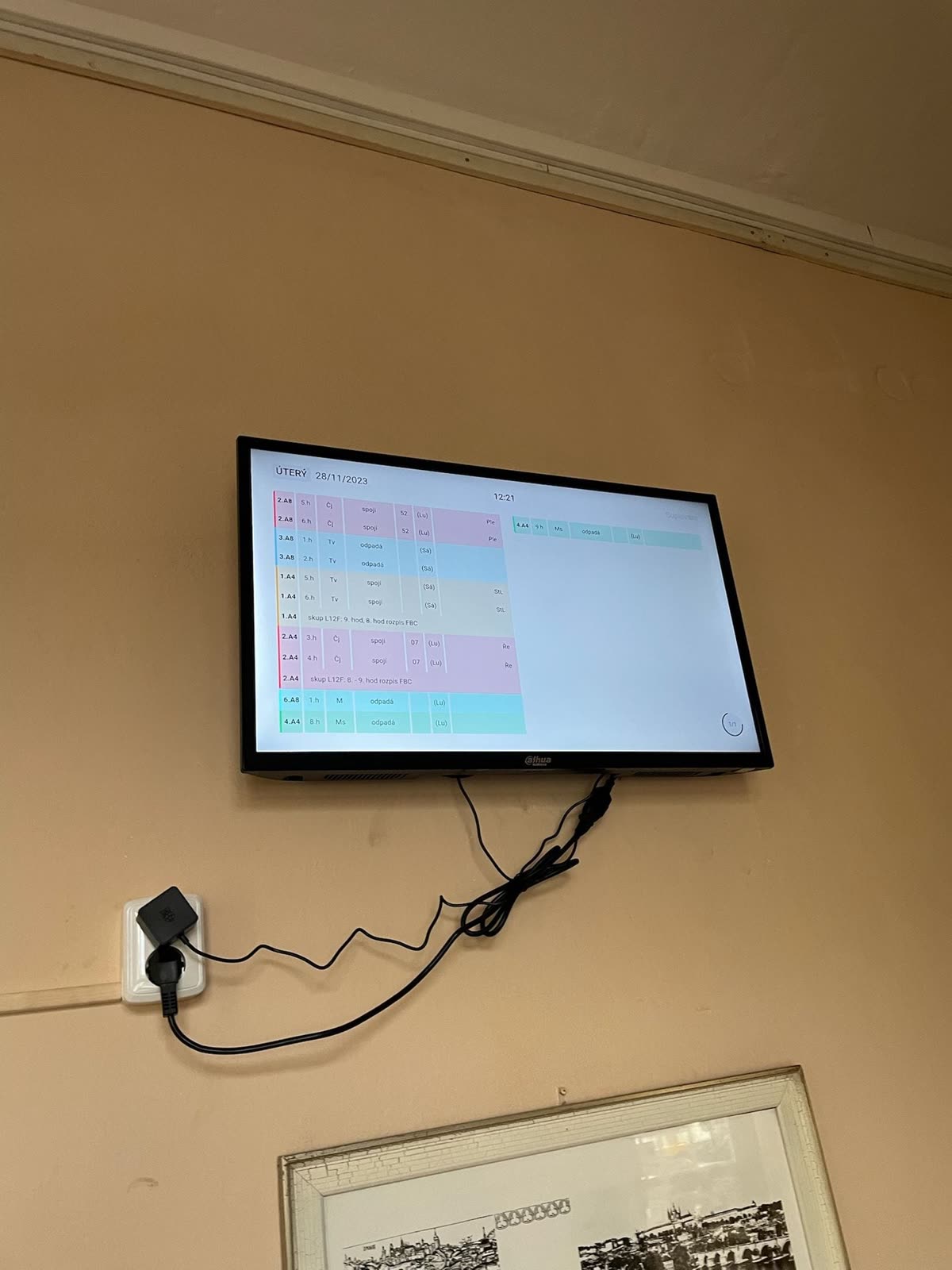
2. Wired Internet
At every location, we need one network socket (RJ45) with an internet connection. A cable is more stable and reliable than Wi-Fi.
- Wi-Fi can only be used after prior agreement with us and only where the signal is strong and stable. If Wi-Fi is insufficient at the location, a cable is mandatory.
- Where neither cable nor Wi-Fi is possible, we can connect the screen via mobile network (LTE). A monthly fee for the data plan is then paid to the operator.
Your network administrator can find exactly what the network must support (ports, addresses, fixed IP for the TV) in the Network Requirements section.
3. Both connections functional before our arrival
The electrical and network outlets should be connected and tested before we arrive. A non-working network socket is the most common reason for installation delays.
4. Photos of the locations in advance
Send us photos of the places where you want to hang the screens. The photo should show the entire wall, surrounding doors and furniture, and ideally also the outlets. Based on the photos, we will plan the mounts, cable and conduit lengths, and installation time.
5. Date and accompaniment
We will arrange the installation date in advance. To avoid disrupting classes, we often install outside teaching hours, for example on weekends. Installing one screen takes about 1 to 2 hours depending on how accessible the location is and how large the panel is.
We appreciate if a janitor or school technical staff member is present during installation. It is not mandatory, but it makes it easier to fine-tune the exact placement of the screens on site.
How many screens and where
If you don’t yet know how many screens you need, as a guideline it applies:
| School size | Typical number of screens |
|---|---|
| up to 300 students | 3–4 |
| 300–800 students | 5–8 |
| over 800 students | 8 or more |
Screens are most often hung by the entrance, in hallways, in the staff room, near the principal’s office, in the cafeteria, or by the gym. More can be found in the article How many substitution screens does our school need.
Updated